How much is my laptop worth depends on the exact model, the specs, and the condition, not on the brand name alone. A machine with a swollen battery, a cracked screen, or a missing charger is not the same listing as a clean, fully specified example of the same model. Photograph the laptop and the model label, then compare current public listings with typical trade-in offers.
The app scans faster, keeps a history of your items and gives free weekly scans.
Example
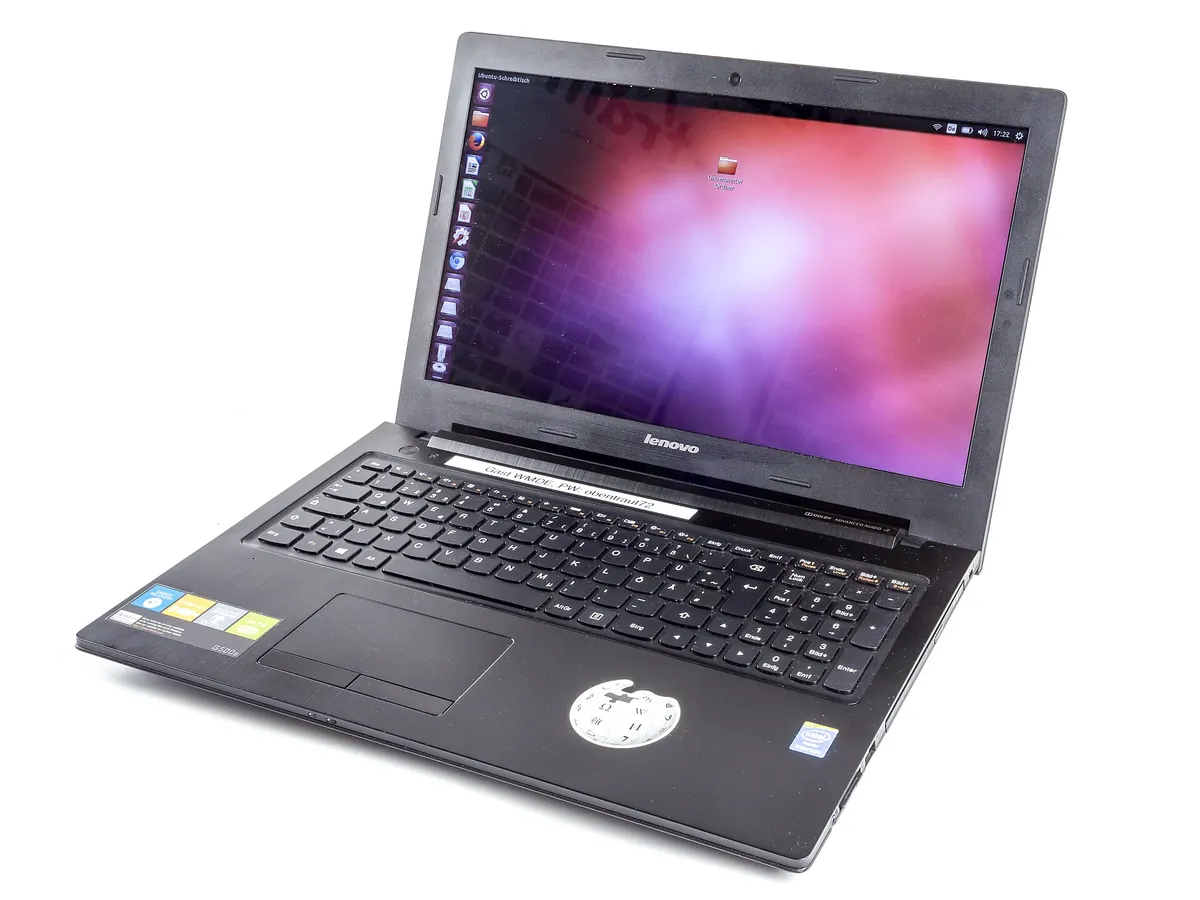
A Lenovo G500s notebook, open
Brand, exact model, memory, storage, and whether it works all move the price
A used Lenovo G500s laptop. The exact model string, processor, memory, and screen condition usually matter more than the brand alone. Photograph the underside label or the About screen, and say whether a charger is included. Photo: Lenovo G500s laptop-2903.jpg by Raimond Spekking, licensed under CC BY-SA 4.0, via Wikimedia Commons. See also photo credits.

Identify the exact model
Start with the manufacturer, the model name, and the model or serial label, usually on the underside or inside a settings menu. "It's a Dell" or "it's a MacBook" is not enough, because those lines cover many years, screen sizes, and processors. On Windows machines, the system information screen and the underside service tag or serial often settle it. On a Mac, the model identifier and the serial are in About This Mac, or on the underside.
Photograph the front, the keyboard, the screen (on, if it works), the ports, the underside label, and the charger. If you know the RAM, storage, and processor, include them in the notes. Not sure which model you have? Snap a photo of the underside label and the boot screen and the app reads them so you can confirm the machine.
What changes the price
Specs matter: processor generation, RAM, storage type and size, screen size and resolution, and whether the machine is a 2-in-1, a Chromebook, a gaming model, or a business workstation. Condition matters just as much. Cracked or stained screens, keyboard faults, missing keys, dents, a worn hinge, and a battery that no longer holds a charge all move the range. A missing official charger is a real deduction on many models, not a footnote.
Before you sell, sign out of accounts, turn off device locks, and wipe the machine with the maker's recommended reset. A laptop that is still iCloud-locked, MDMs-locked, or password-locked is a problem for a buyer, and it should not be listed as a working computer. We will not invent a going rate for every brand or year. Compare listings for the same model, memory, storage, and condition.
Trade-in versus sold comps
A shop or manufacturer trade-in is often lower than a private sale, because the buyer needs a margin, may need to wipe and test the unit, and is quoting a posted offer rather than a sold auction. That can still be a fair choice if you want cash today and no listing hassle. Compare current public listings for the same configuration, and remember that an asking price can sit above a sold price. See How we price. For a phone with a similar trade-in question, see how much is my iPhone worth.
Where to sell
People sell laptops on eBay, Facebook Marketplace, in local computer shops, and through manufacturer or retail trade-in programmes. The app can draft a listing for eBay, Facebook Marketplace, or Gumtree. Say whether the charger is included, whether the battery health is known, and whether the machine has been wiped. Remove any stickers that hide damage, and do not list a locked device as unlocked.
Scan and list
- Photograph the laptop, the underside model label, the screen, and the charger if you still have it.
- Confirm the model and specs, and note cracks, battery issues, missing keys, or an account lock.
- Review the Worth about figure and the listed range when we find enough current public listings.
You can start with a free web scan in the box on this page. A scan is a first look at the model and at current listings, not a workshop hardware test. If the machine will not power on, say it is untested or for parts rather than guessing that it only needs a charger.
The app scans faster, keeps a history of your items and gives free weekly scans.
What makes How Much Is It Worth different
One photo is enough to start, and you can add up to two more angles. We identify the item first, you confirm or correct it, then we look up a Worth about figure and a listed range from current public marketplace listings. Those are asking prices, which can sit above what a piece finally sells for. You see the listings themselves when we find enough of them.
Coins and banknotes also draw on Numista. Trading cards use PokéWallet, with a source credit where that data appears. Gold and silver use a live metal price as a floor. If listings are thin, we show a clearly labelled rough estimate rather than inventing a precise number. The app can draft a listing for eBay, Facebook Marketplace, or Gumtree once you are ready to sell. For the short version of this process, read How we price.
FAQ
How much is my laptop worth?
Laptop value depends on the exact model, the processor, memory, storage, and the condition, including the screen, battery, and charger. A brand name alone is not enough. Compare current public listings for the same configuration, and treat a trade-in offer as a separate, often lower, figure.
Which model do I have?
Read the model name and the serial or service tag on the underside label, or in the system information screen (or About This Mac). Photograph the label and the boot screen if you are not sure. Snap those photos and the app can start the ID from the label.
Is a trade-in lower than a private sale?
Often, yes, because the buyer needs a margin and has to wipe and test the unit. That can still be a fair choice if you want cash today and no listing hassle. Compare a posted trade-in with current public listings for the same model and specs.
Can I scan a laptop with the app?
Yes. Photograph the laptop, the underside model label, the screen, and the charger if you still have it, then confirm the specs and note any damage or account lock. Sign out and wipe the machine before you hand it over.
Related guides
Updated 11 November 2026. Written by Harris, who built How Much Is It Worth. Figures that we cite include a source and a date. They are not a certified appraisal. See How we price.
The app scans faster, keeps a history of your items and gives free weekly scans.
See all guides on the homepage, or read how we price.